
In an age where organization meets innovation, digital planners have swiftly become the go-to tool for streamlining daily life. But beyond personal use, they also represent a thriving opportunity for creative entrepreneurs ready to carve out their niche. Crafting your own digital planner is more than just designing pages-it’s about blending functionality with style to meet the unique needs of a diverse audience. This guide will walk you through the essential steps to not only create a captivating digital planner but also to turn it into a successful product that resonates in a crowded marketplace. Whether you’re a designer, an organizer, or an aspiring seller, here’s your blueprint for digital planning success.
Table of Contents
- Choosing the Perfect Platform for Your Digital Planner Creation
- Designing User-Friendly Layouts That Enhance Productivity
- Incorporating Customizable Features for a Personalized Experience
- Marketing Strategies to Turn Your Digital Planner into a Best Seller
- Closing Remarks
Choosing the Perfect Platform for Your Digital Planner Creation
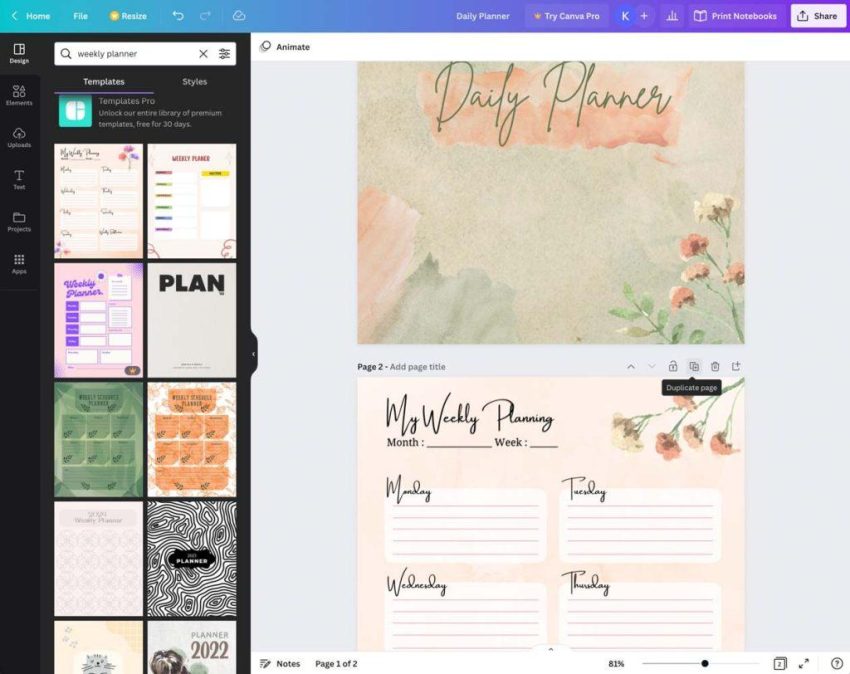
When diving into the world of digital planner creation, selecting the right platform is crucial for both the design process and your ultimate sales success. You want a platform that offers intuitive tools, flexibility in design, and seamless export options to meet various customer needs. Think about whether you prefer a drag-and-drop style interface or a more detailed layer-based design tool-each caters to distinct creative workflows. Additionally, compatibility with various devices and integration with popular note-taking apps like GoodNotes or Notability can significantly enhance user experience, making your planners more desirable.
Consider the following key features when evaluating your platform options:
- Customizability: Ability to tailor templates and incorporate unique design elements.
- File Export Formats: PDF, PNG, or interactive files adaptable to different devices.
- Ease of Use: User-friendly dashboards that streamline creation and modification.
- Community Support: Access to tutorials, forums, or plugins to expand your toolkit.
| Platform | Best For | Export Options | Ease of Use |
|---|---|---|---|
| Canva | Design beginners | PDF, PNG | High |
| Adobe InDesign | Professional designers | PDF, Interactive PDFs | Medium |
| GoodNotes | Planner users/customizers | Proprietary formats | High |
| Affinity Publisher | Budget-conscious pros | PDF, PNG | Medium |
Designing User-Friendly Layouts That Enhance Productivity
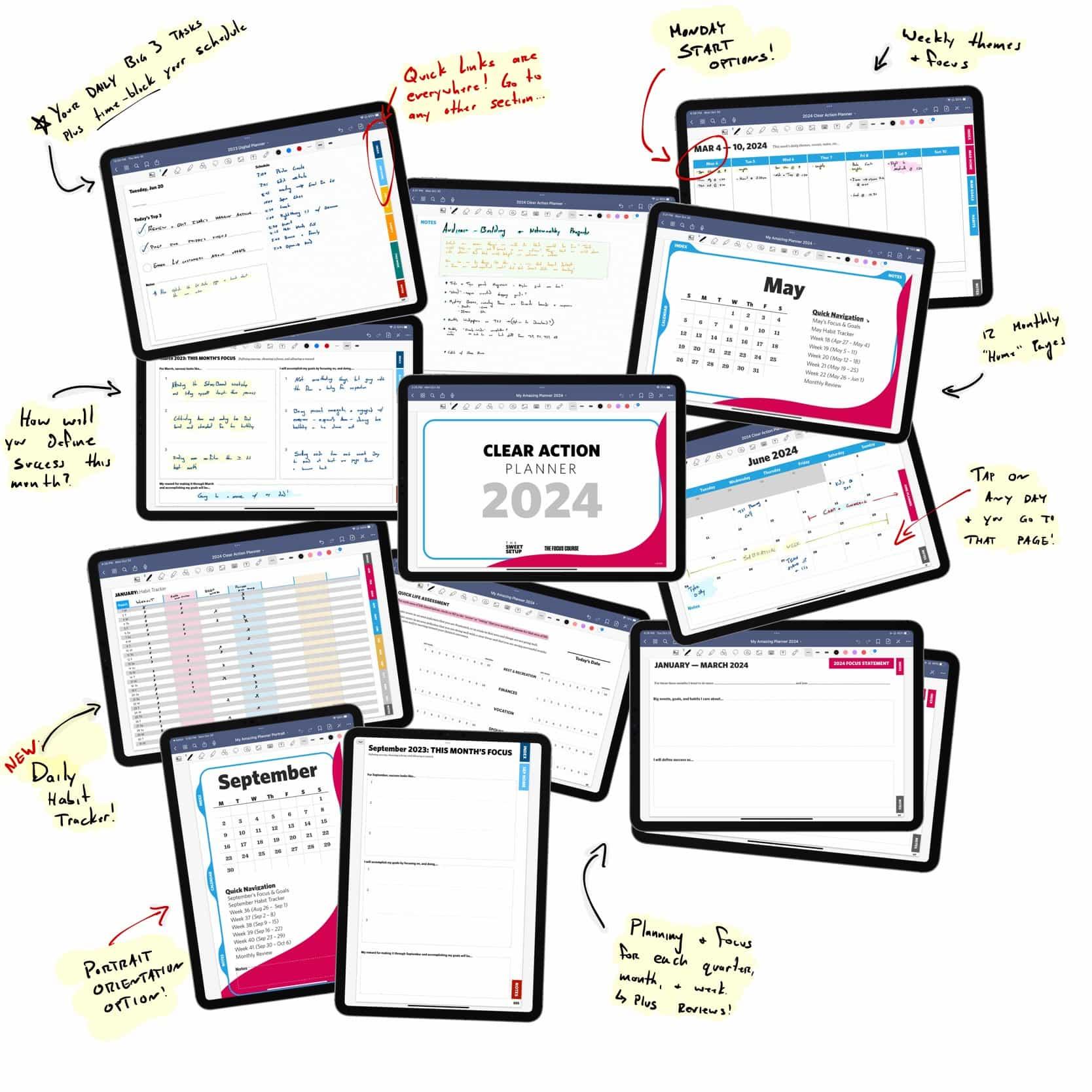
Efficient digital planners thrive on layouts that seamlessly balance form and function. Prioritize clean, uncluttered designs where every element serves a purpose. Incorporate generous white space to reduce visual overwhelm, allowing users to focus on their tasks. Utilize grid systems to keep content organized and aligned, fostering a sense of order that naturally boosts productivity. Remember, intuitive navigation is key-incorporate easily recognizable icons and consistent button placements so users can quickly access essential features without cognitive load.
Consider incorporating these layout strategies to enhance user engagement and effectiveness:
- Modular sections: Allow users to customize by adding or removing blocks according to their needs.
- Visual hierarchy: Use font size, weight, and color to emphasize important sections like deadlines and priorities.
- Interactive elements: Embed checkboxes, dropdowns, and progress trackers for dynamic task management.
- Responsive design: Ensure your planner looks great and functions smoothly across all devices.
| Feature | Benefit |
|---|---|
| Clear Navigation | Speeds up task access |
| Customizable Sections | Increases user engagement |
| Visual Cues | Helps prioritize important tasks |
| Responsive Layout | Optimizes usability on any device |

Incorporating Customizable Features for a Personalized Experience
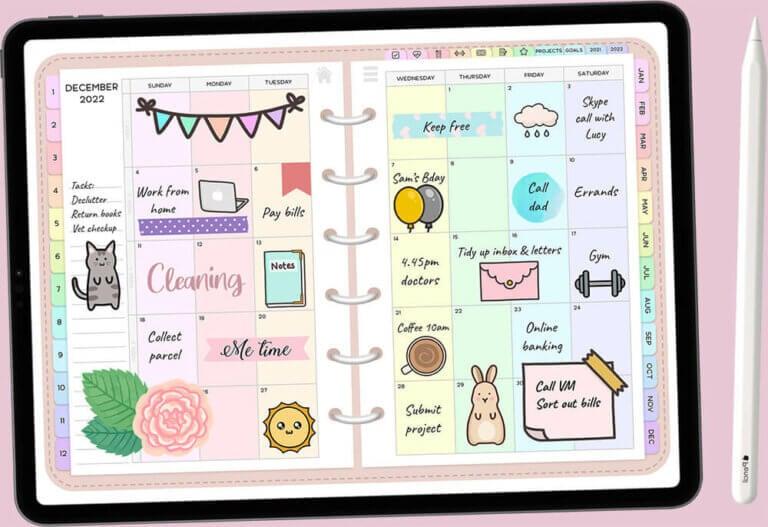
Offering a customizable digital planner transforms ordinary templates into unique tools that truly resonate with individual users. This adaptability not only appeals to a wide spectrum of needs but also enhances user satisfaction and loyalty. Incorporate features such as editable layouts, color schemes, and modular sections that users can easily toggle on or off. Intuitive drag-and-drop functionality and personalized reminder settings add extra layers of convenience, making the planner feel like it was tailor-made for each customer’s lifestyle.
To streamline the personalization process, consider implementing options through simple and visually appealing interfaces. Below is a quick comparison of popular customizable features and their benefits:
| Feature | Benefit | Ideal User |
|---|---|---|
| Color Themes | Enhances mood and visual comfort | Creative professionals & students |
| Modular Sections | Flexibility to add or remove pages | Busy parents & entrepreneurs |
| Custom Reminders | Improves task management efficiency | Time-sensitive professionals |
Marketing Strategies to Turn Your Digital Planner into a Best Seller
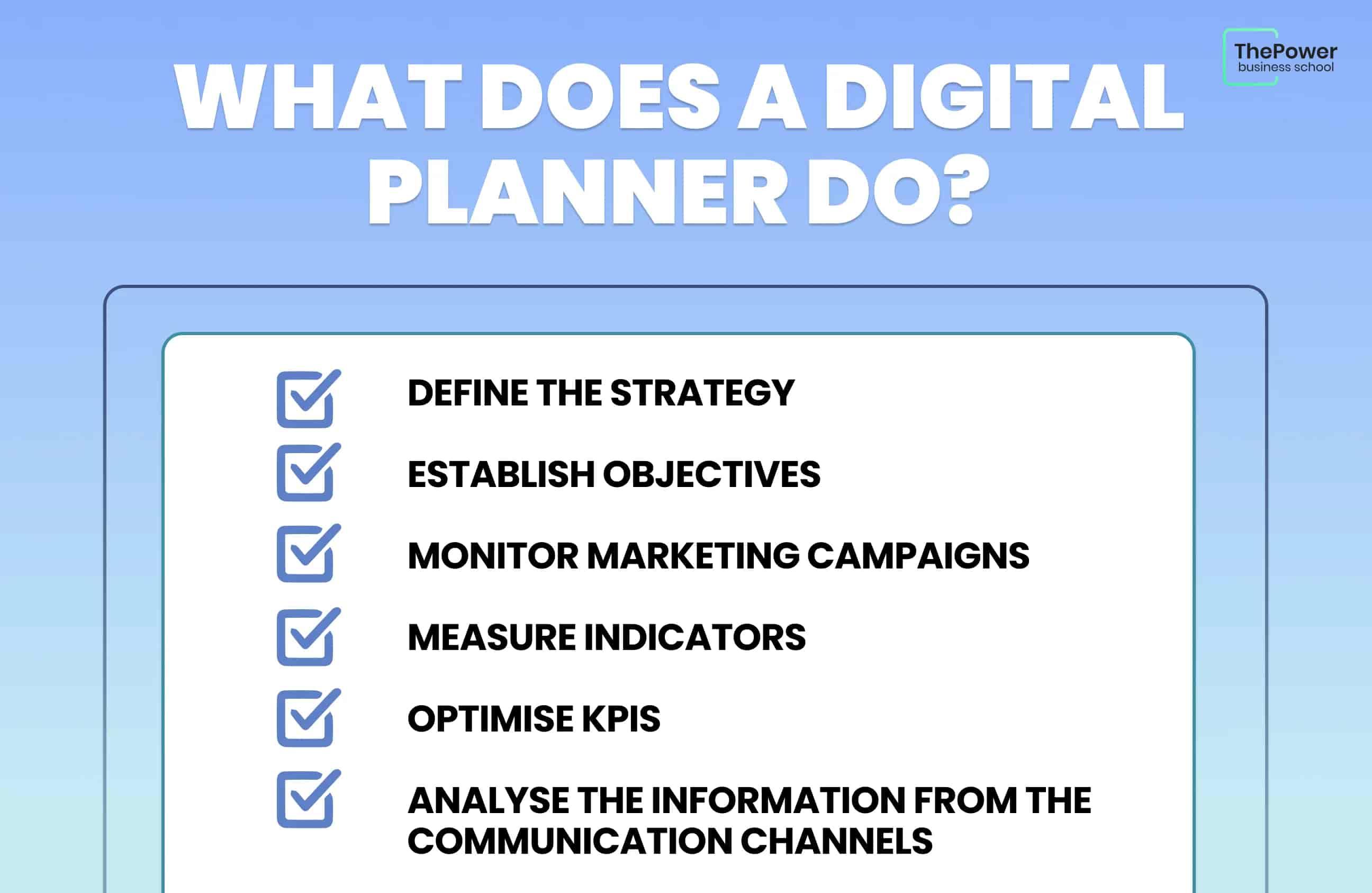
Understanding your target audience is the cornerstone of effective promotion. Delve into who will benefit most from your planner-whether it’s busy professionals, students, or creatives-and tailor your messaging to speak directly to their pain points. Utilize social media platforms not just for visibility, but to build a community around your product. Sharing behind-the-scenes development stories and user testimonials can turn casual browsers into loyal advocates. Integrate eye-catching visuals and infographics that emphasize how your digital planner simplifies daily routines, enhancing appeal and engagement.
Consider diversifying your promotional channels to maximize reach. Alongside social media, employ email marketing campaigns with exclusive offers and personalized tips to nurture leads. Collaborations with influencers in productivity or lifestyle niches can also drive targeted traffic. Below is a concise table to prioritize marketing tactics based on impact and ease of execution:
| Marketing Channel | Impact | Ease of Execution |
|---|---|---|
| Instagram Stories & Reels | High | Medium |
| Email Newsletters | Medium | High |
| Influencer Partnerships | High | Low |
| SEO-Optimized Blog Content | Medium | Medium |
- Leverage user-generated content: Encourage customers to share their planner setups.
- Offer limited-time bonuses: Add extra templates or digital stickers for early buyers.
- Maintain consistent branding: Ensure visual and tonal harmony across all channels.
Closing Remarks
As you close this guide to crafting your own digital planner, remember that the journey from concept to sale is as much about creativity as it is about strategy. Each carefully designed page holds the potential to inspire and organize someone’s life, while each marketing step brings you closer to a thriving digital business. Embrace the process with patience and passion, and watch your unique planner not only take shape but also find its place in the hands of eager users. In the world of digital planning, your success is limited only by the scope of your imagination and your willingness to share it. So, go ahead-create, refine, and sell with confidence.