

In an age where organization meets creativity, digital planners have become indispensable tools for managing time, goals, and ideas-all with a personal touch. Imagine combining the art of design with the power of productivity by creating your very own digital planner, tailored precisely to your needs and style. This step-by-step guide will walk you through the process of not only designing a functional and visually appealing planner but also selling it to a community eager for innovative ways to stay organized. Whether you’re a creative enthusiast, a productivity guru, or an aspiring entrepreneur, this journey invites you to transform your vision into a digital product that resonates and sells.
Table of Contents
- Choosing the Perfect Digital Planner Format for Your Target Audience
- Crafting Customizable and User-Friendly Layouts That Inspire Productivity
- Essential Tools and Software for Designing Your Digital Planner
- Effective Strategies to Market and Sell Your Digital Planner Online
- To Wrap It Up
Choosing the Perfect Digital Planner Format for Your Target Audience
When selecting the ideal digital planner format, it’s essential to dive deeply into the habits and preferences of your audience. Consider whether they prefer interactive PDFs, editable Notion templates, or possibly apps like GoodNotes or OneNote. Each platform offers different user experiences, from the simple tap-to-highlight features in PDFs to the more dynamic customization options in apps. Ask yourself: Does your demographic lean towards minimalistic designs or something more intricate? Are they tech-savvy millennials who crave flexibility, or busy professionals looking for straightforward, no-fuss organization? Tailoring the format to fit their lifestyle and tech comfort can drastically enhance user satisfaction and boost your planner’s success.
Explore the advantages of various formats with this quick comparison to inform your decision-making process:
| Format | Best For | Key Benefits |
|---|---|---|
| Interactive PDF | Users wanting straightforward & offline use | Easy to use, accessible across devices, printable |
| Notion Template | Organizers seeking deep customization | Highly flexible, integrates with other workflows |
| GoodNotes/OneNote | Creative and visual planners | Handwriting-friendly, supports multimedia inserts |
Ultimately, the perfect format blends usability, engagement, and relevance, ensuring that your digital planner not only attracts users but keeps them coming back day after day.
Crafting Customizable and User-Friendly Layouts That Inspire Productivity
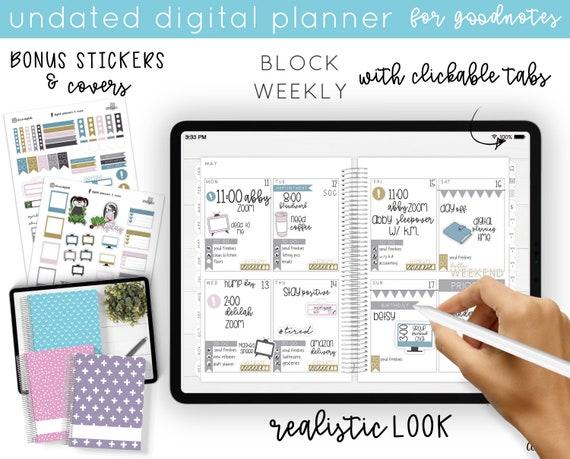
When designing your digital planner, prioritize flexibility and ease of use to elevate the user’s workflow. Incorporate key elements such as draggable modules, color-coded sections, and adjustable views that allow users to tailor their planning experience. By embedding intuitive navigation and minimizing clutter, you can ensure the layout remains inviting and accessible, empowering users to stay organized without frustration.
Consider integrating features that cater to diverse productivity styles, such as:
- Modular widgets for quick access to to-do lists, calendars, or notes.
- Customizable themes that adapt to mood or time of day.
- Responsive design for seamless use across tablets, phones, and desktops.
Leverage a clean grid system to maintain structure while allowing creative freedom. The table below highlights the balance between functionality and aesthetics for effective planner components:
| Component | Purpose | Design Focus |
|---|---|---|
| Daily Overview | Track appointments and tasks | Clear headers, concise spacing |
| Goal Tracker | Monitor progress toward milestones | Progress bars, motivational prompts |
| Note Section | Jot down thoughts and ideas | Expandable fields, minimalist font |
Essential Tools and Software for Designing Your Digital Planner
When embarking on the journey of designing your digital planner, having the right tools can make all the difference between a clunky, frustrating experience and a smooth, efficient workflow. Graphic design software like Adobe Illustrator or Affinity Designer provides robust features for creating visually stunning templates, offering precise control over every element of your planner. For those who prefer something simpler yet powerful, Canva is an excellent option, especially for beginners, thanks to its intuitive drag-and-drop interface and extensive library of design assets. Additionally, incorporating software like Procreate for hand-drawn illustrations or GoodNotes for testing your planner on tablets can enhance both the design process and end-user experience.
Beyond design, organization and functionality are key components. Tools that allow you to create hyperlinked PDFs, such as Adobe InDesign or Keynote, enable seamless navigation within your planner, mimicking the feel of a physical notebook. Don’t overlook the importance of file optimization apps like TinyPNG or PDF Compressor to reduce file sizes without compromising quality, ensuring quick downloads and smooth performance. Below is a quick rundown of essential tools to consider:
| Tool | Purpose | Best For |
|---|---|---|
| Adobe Illustrator | Vector-based design | Professional-quality graphics |
| Canva | Template creation & assets | Beginners & fast design |
| Procreate | Hand-drawn art | Creative illustrations |
| Adobe InDesign | PDF layout & interactivity | Clickable planners |
| TinyPNG | Image compression | Optimized file size |
Effective Strategies to Market and Sell Your Digital Planner Online
To capture the attention of your ideal audience, focus first on creating compelling product listings that highlight your digital planner’s unique features and benefits. Use high-quality images and engaging descriptions that connect emotionally with potential buyers-emphasize how your planner can transform their productivity and organization. Utilize customer testimonials or preview videos to build trust and credibility. Remember, a well-crafted listing acts as your silent salesperson, guiding visitors toward making a purchase.
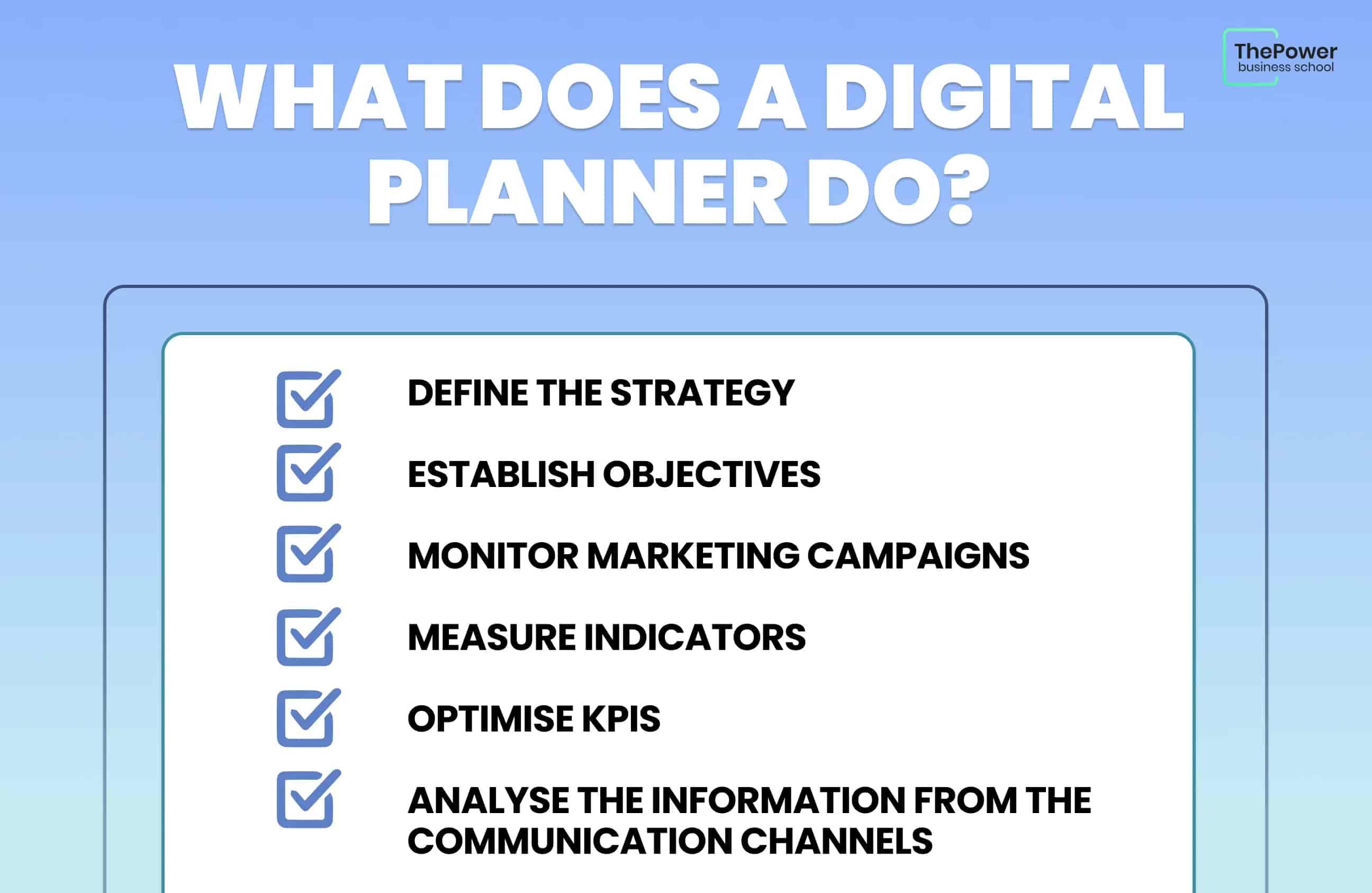
Promote your planner through a blend of organic and paid channels. Leverage social media platforms like Instagram and Pinterest where visually appealing content thrives, sharing tips, user-generated content, and behind-the-scenes creation stories to foster community engagement. Email marketing remains a powerful tool; segment your audience and send personalized offers or exclusive sneak peeks. For paid strategies, consider targeted ads using precise demographics and interests, and measure campaign performance with clear KPIs to optimize your marketing spend effectively.
To Wrap It Up
Designing and selling your own digital planner is more than just a creative endeavor-it’s a way to bring order and inspiration into people’s daily lives while expressing your unique vision. By following this step-by-step guide, you’ve unlocked the essential tools and insights needed to transform ideas into a functional, beautiful product that resonates with users. Whether you’re crafting layouts, choosing aesthetic details, or navigating marketing strategies, each step is a building block toward your digital planner’s success. Now, with your blueprint in hand, it’s time to bring your planner to life, share it with the world, and watch your creativity turn into a thriving venture. The pages are yours to fill-start designing your digital future today.